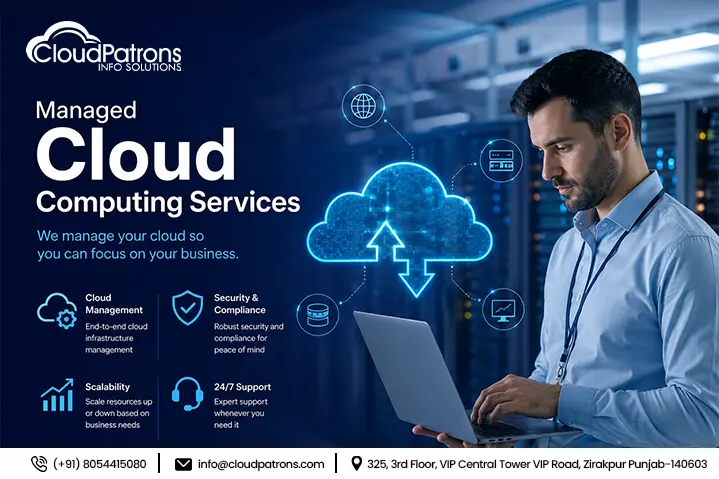
Cloud adoption is no longer the hard part — running the cloud well is. Most businesses that migrate to AWS, Azure, or Google Cloud quickly discover that provisioning is the easy 10%, and monitoring, patching, cost control, and incident response are the other 90%. That's the gap managed cloud computing services are built to close.
At Cloud Patrons Info Solutions, we work with fintechs, payment platforms, and mid-to-large enterprises across 15+ countries who've hit exactly this wall — infrastructure that works, but no dedicated team keeping it secure, optimized, and available 24x7x365. This guide breaks down what managed cloud services actually are, where they fit in your IT roadmap, and how to choose the right provider without getting burned by hidden costs.
What Is a Managed Service in Cloud Computing?
A managed service in cloud computing is a contractual arrangement where a third-party provider handles specific or comprehensive cloud operations — provisioning, monitoring, security, backups, and optimization — on behalf of a client, typically under a defined SLA.
It's worth separating three terms that get used interchangeably but mean different things:
- Unmanaged/self-service cloud — you own the infrastructure and the operational burden. Your team provisions, patches, and monitors everything.
- Co-managed cloud — responsibility is split. A provider like Cloud Patrons might own monitoring and security while your internal team retains architecture decisions.
- Fully managed cloud — the provider owns the operational stack end-to-end, under SLA-backed uptime and response-time commitments (commonly 99.9% or higher, with tiered response windows for critical vs. non-critical incidents).
A managed service provider (MSP) is not the same as a cloud hosting company. Hosting gives you infrastructure; an MSP runs and defends that infrastructure on your behalf, around the clock.
How Cloud Computing Transforms IT Into a Service
Traditional IT was a capital expenditure (CapEx) model: buy servers, rack them, maintain them for years, and hope you sized correctly. Cloud computing flips this into an operating expenditure (OpEx) model — you consume infrastructure, platforms, and software on demand and pay for what you use.
This is the essence of "IT-as-a-Service." Picture a traditional on-prem team spending most of its week on server maintenance, hardware failures, and capacity planning. Now picture that same team, freed from racking and patching, focused instead on architecture, application performance, and business-aligned strategy. That's the shift managed cloud support enables — provisioning that once took weeks of procurement now takes minutes.
The Role of Automation and Orchestration
Managed providers lean heavily on automation — auto-scaling, self-healing infrastructure, and scripted alerting — to reduce manual intervention. A common example: an e-commerce or payments platform sees a traffic spike during a sale or settlement window. Auto-scaling rules add capacity automatically, and the incident never reaches a human unless something genuinely breaks the pattern. This is exactly the kind of continuous monitoring our NOC team runs for fintech infrastructure — custom scripts and alerting that catch problems before customers do.
What Are the 4 Types of Cloud Computing Services?
The four primary cloud service models are IaaS, PaaS, SaaS, and FaaS (Function-as-a-Service, or serverless).
- IaaS (Infrastructure-as-a-Service) — raw compute, storage, and networking (AWS EC2, Azure VMs, Google Compute Engine). Best for businesses that need infrastructure control without owning hardware.
- PaaS (Platform-as-a-Service) — a managed runtime and toolset for building applications (Heroku, Google App Engine, Azure App Service). Best for dev teams who want to ship code, not manage OS patches.
- SaaS (Software-as-a-Service) — ready-to-use applications (Salesforce, Microsoft 365, Google Workspace). Usually the first cloud touchpoint for non-technical business users.
- FaaS/Serverless — event-driven functions that run only when triggered (AWS Lambda, Azure Functions). Increasingly popular for cost-efficient, event-driven architectures where you don't want to pay for idle compute.
Service Type
Control Level
Management Responsibility
Common Use Case
IaaS
High
Client manages OS, apps, runtime
Custom infrastructure, legacy migration
PaaS
Medium
Provider manages OS/runtime; client manages app
App development and deployment
SaaS
Low
Provider manages everything
Business productivity, CRM, collaboration
FaaS
Minimal
Provider manages all infrastructure
Event-driven, variable workloads
What Are the Benefits of Cloud Managed Services?
The core benefits: reduced operational overhead, proactive monitoring and security, predictable costs, access to specialized expertise, and improved scalability.
- Cost predictability. A subscription-based support model replaces the unpredictable spend spikes of in-house maintenance — no surprise hardware failures, no emergency hires.
- 24/7 monitoring and incident response. Downtime is expensive, and it rarely happens during business hours. Round-the-clock NOC monitoring catches anomalies before they become outages.
- Access to specialized talent. Security, compliance, and cloud architecture expertise — particularly around frameworks like PCI DSS, SOC 2, HIPAA, and ISO 27001 — without carrying full-time headcount for each specialty.
- Scalability on demand. Elastic resources absorb seasonal and growth-driven spikes without a scramble.
- Enhanced security posture. Managed patching, vulnerability scanning, and compliance monitoring reduce the attack surface continuously, not just during quarterly audits.
Real-World Example: Managed Services in Action
Consider a payment gateway processing thousands of transactions daily. Peak load, regulatory scrutiny, and zero tolerance for downtime make in-house-only support risky. This is the exact profile of the fintech clients we support — where cloud infrastructure, PCI DSS compliance, and 24×7 monitoring aren't separate projects, they're one continuous operating model. The outcome businesses in this position typically look for isn't just uptime — it's the confidence that a payment failure or breach won't happen on their watch.
Cloud Managed Services Examples: What Providers Actually Do
"Managed cloud" is abstract until you see what's actually delivered day to day:
- Infrastructure monitoring and alerting — continuous visibility into servers, applications, and network health
- Security management — firewall configuration, vulnerability scanning, and patch management
- Backup and disaster recovery orchestration — so a single failure never becomes data loss
- Cost optimization (FinOps) — rightsizing instances and planning reserved capacity so cloud spend doesn't creep
- Migration services — lift-and-shift or replatforming from on-prem or legacy cloud setups
Some providers offer these natively as hyperscaler add-ons (AWS Managed Services, Azure Arc); others, like Cloud Patrons, operate as a dedicated third-party partner across AWS, Azure, and hybrid environments — giving clients a single point of accountability instead of juggling vendor tickets.
Advantages and Disadvantages of Cloud Computing: An Honest Breakdown
Advantages: cost efficiency, elastic scalability, built-in disaster recovery, automatic updates, remote accessibility, shared-infrastructure efficiency, faster time-to-market, easier collaboration, competitive parity for smaller businesses, and infrastructure redundancy.
Disadvantages: vendor lock-in, ongoing subscription costs versus a one-time hardware purchase, latency in specific use cases, cross-region compliance complexity, reduced infrastructure control, dependency on provider uptime, data sovereignty concerns, migration complexity, hidden costs, and confusion around the shared-responsibility security model.
The Hidden Costs Nobody Talks About
- Egress and data transfer fees that rarely appear in the initial quote
- Re-architecting legacy applications to actually be cloud-compatible, not just cloud-hosted
- Overprovisioning from a lack of early FinOps discipline
- Training and change management as internal teams adapt to new workflows
This is where an experienced managed partner earns its keep — catching these costs before they hit the invoice, not after.
Choosing a Managed Cloud Services Provider: A Decision Framework
Match Provider Type to Business Maturity Stage
- Startups — prioritize cost-efficiency and SaaS-heavy stacks, with lighter-touch managed support
- Scaling businesses — need proactive security and compliance support plus dedicated account management
- Enterprises — require multi-cloud governance, custom SLAs, and industry-specific compliance such as PCI DSS, HIPAA, or FedRAMP
Vendor Evaluation Checklist
- SLA specifics — uptime percentage, tiered response times, and penalty clauses
- Security certifications — SOC 2 Type II, ISO 27001, and demonstrated PCI DSS experience
- Pricing transparency — an itemized cost breakdown, not a vague "starting at" figure
- Exit strategy and data portability — critical for avoiding lock-in down the line
Conclusion
Managed cloud computing services aren't just an outsourcing decision — they're a shift in how IT contributes to the business. Done right, they turn infrastructure from a constant maintenance burden into a reliable, secure foundation your team barely has to think about, freeing internal resources to focus on growth instead of firefighting.
The providers that deliver on this promise combine 24×7 monitoring, transparent SLAs, and real compliance depth — not just server access. That's the model Cloud Patrons Info Solutions has built around: Managed Cloud Support, 24×7 NOC monitoring, PCI DSS implementation and certification, DevOps, and cybersecurity compliance, delivered as one accountable partnership rather than a patchwork of vendors.
If your infrastructure has outgrown ad hoc support, book a free consultation with Cloud Patrons and see where the gaps — and the hidden costs — actually are.
FAQ
Managed cloud computing services involve outsourcing the monitoring, security, maintenance, optimization, and management of your cloud infrastructure to an experienced provider. This helps businesses improve performance, reduce operational costs, and ensure their cloud environment remains secure and highly available.
Managed cloud services provide 24/7 monitoring, enhanced security, cost optimization, automated maintenance, disaster recovery, and access to cloud experts. They enable businesses to focus on innovation while ensuring reliable and scalable IT operations.
Managed cloud providers implement continuous monitoring, regular patch management, vulnerability assessments, backup solutions, and compliance support. These proactive measures help protect business data, reduce security risks, and ensure regulatory compliance.
Cloud Patrons Info Solutions is a prominent support provider, offering a wide spectrum of IT services. Our expertise includes Managed Cloud & Infrastructure Support, PCI DSS Implementation & Certification, and round-the-clock NOC & IT Help Desk services for a global clientele. We excel in delivering 24/7 support through various channels, serving valued customers across the globe in industries such as FinTech, Logistics, and Software. Experience top-tier support outsourcing with us.