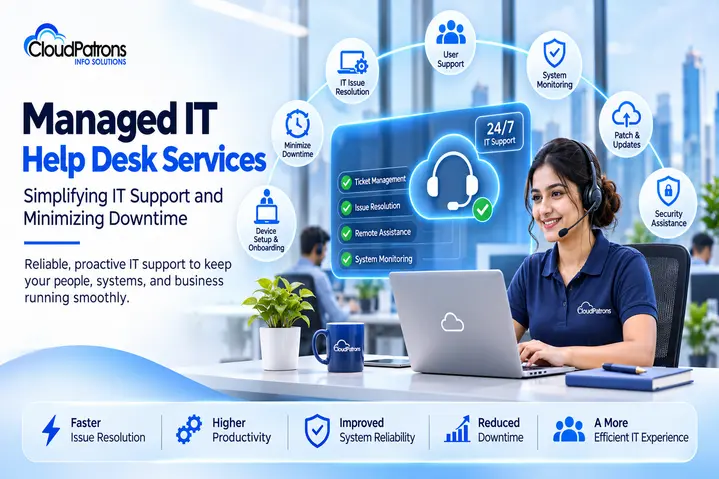
A frozen laptop, a dropped VPN connection or a failed software update can stall an entire team within minutes. For growing businesses, these small technical glitches add up to lost hours, missed deadlines and frustrated employees. Managed IT help desk services solve this by giving your people a dependable, always-available team to resolve issues quickly, so productivity stays steady and downtime stays low.
What Are Managed IT Help Desk Services?
Managed IT help desk services mean outsourcing your day-to-day technical support to a dedicated team of IT professionals. Instead of relying on a stretched in-house team or calling someone only when something breaks, employees raise requests through email, phone, chat or a ticketing system and get structured, trackable support.
This differs from traditional break-fix IT, where you pay for help after a failure has already hurt operations. A managed model is proactive: issues are logged, prioritized, escalated and resolved under one centralized process, backed by remote assistance and ongoing monitoring.
Common IT Challenges That Cause Business Downtime
Network and Connectivity Issues
Slow connections, Wi-Fi drops and VPN failures interrupt access to cloud apps, email and shared files, stopping remote and office teams alike.
Hardware and Software Failures
Crashing applications, corrupted updates and aging devices create recurring disruptions that eat into working hours.
Delayed IT Issue Resolution
Without a clear ticketing process, requests get lost or sit unanswered, turning a ten-minute fix into a half-day outage.
Security Vulnerabilities and Outdated Systems
Unpatched software and weak endpoint protection expose systems to threats that can cause far larger interruptions than a routine technical fault.
Limited Availability of In-House IT Teams
Small internal teams rarely cover nights, weekends or multiple time zones, leaving gaps when issues strike outside business hours.
How Managed IT Help Desk Services Simplify Business IT Support
24/7 IT Help Desk Assistance
Round-the-clock availability means employees are never stuck waiting for the next working day, which is especially valuable for distributed teams and global operations.
Centralized Ticket Management and Faster Resolution
Every request is logged, categorized and prioritized. Critical incidents are escalated first, response times improve and nothing slips through the cracks.
Remote IT Troubleshooting and Technical Support
Technicians can diagnose and fix many operating system, software, network and device problems remotely, without waiting for an on-site visit.
Proactive Monitoring and Issue Prevention
Continuous monitoring helps spot warning signs early, so minor irregularities are addressed before they grow into outages.
Automated Updates and Patch Management
Regular patching and antivirus support keep systems current and secure, cutting down recurring errors and reducing your internal workload.
Key Benefits of Managed IT Help Desk Services for Businesses
- Reduced downtime: faster response and structured escalation limit business disruption.
- Improved productivity: employees spend less time fighting technical problems and more time on core work.
- Cost-effective support: a predictable service model avoids the overhead of building a full in-house support desk.
- Enhanced security and reliability: routine maintenance and updates keep systems stable and protected.
- Scalability: support grows with your headcount, devices and locations without a hiring cycle.
How Managed IT Help Desk Services Help Minimize Downtime
Downtime is rarely caused by one big failure. It usually starts small and spreads. A managed help desk interrupts that pattern through:
- Early identification and escalation of technical issues.
- Faster incident response through ticket prioritization.
- Regular system maintenance and security updates.
- Continuous infrastructure monitoring.
- Preventive troubleshooting to stop repeat problems.
Consider a branch office reporting intermittent network slowness. Left alone, it could escalate into a full outage during peak hours. With a managed help desk, the ticket is logged immediately, a technician investigates remotely, finds a misconfigured device and corrects it, and work continues without interruption.
Why Choose Cloud Patrons for Managed IT Help Desk Services?
Cloud Patrons delivers reliable support designed around how modern businesses actually work. Its help desk offering includes:
- 24/7/365 IT help desk support.
- Experienced IT support professionals.
- Operating system, network, software and device troubleshooting.
- Patch management and antivirus assistance.
- Customized support to match your business needs.
Explore our Helpdesk Support Services and Managed IT Support Services to see how we can support your team.
Simplify IT Operations with Reliable Managed Help Desk Support
Responsive IT support is no longer optional. It keeps employees productive, systems secure and operations steady. A proactive help desk reduces disruptions and gives your business a stable foundation for growth.
Keep your business running smoothly with Cloud Patrons Info Solutions. Our Managed IT Help Desk Services deliver round-the-clock assistance so your team can focus on what matters. Contact our team today.
FAQ
They are outsourced technical support services where a dedicated team handles employee IT issues through tickets, phone, email and chat.
Through faster response, ticket prioritization, proactive monitoring and regular patching, issues are resolved or prevented before they disrupt work.
A help desk focuses on day-to-day user issues and requests, while managed IT support covers broader infrastructure management, monitoring and maintenance.
Yes. Small businesses get expert support without the cost of building an in-house team, and the service scales as they grow.
Common examples include network problems, software errors, device malfunctions, access issues, update failures and antivirus concerns.
Cloud Patrons Info Solutions is a prominent support provider, offering a wide spectrum of IT services. Our expertise includes Managed Cloud & Infrastructure Support, PCI DSS Implementation & Certification, and round-the-clock NOC & IT Help Desk services for a global clientele. We excel in delivering 24/7 support through various channels, serving valued customers across the globe in industries such as FinTech, Logistics, and Software. Experience top-tier support outsourcing with us.